| 今天在secondlife中做了一个英汉词典的商品。 |
| 作者:梦翔儿 日期:2007-6-25 19:04:00 |
今天解决了在Agent店中,摆商品的问题,把vendor放在magic box中卖呵。这叫二次销售,很有意思的想法。
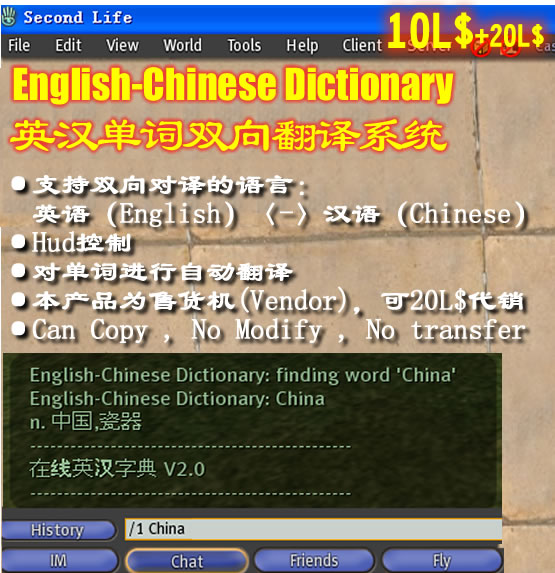 English-Chinese Dictionary
英汉单词双向翻译系统 ·支持双向对译的语言: 英语(English)〈-〉汉语(Chinese) ·Hud控制·对单词进行自动翻译 ·本产品为售货机(Vendor),可20L$代销 ·Can Copy , No Modify , No transfer 使用方法: 1.付款10L$,你会得到一个Object:English-Chinese Dictionary Vendor 2.将之放于地上,然后右键pay 20L$ 3.你会得到一个词典软件,wear在身上就可以正常使用 4.具体使用方法看内附的说明文档 User Guide English-Chinese Dictionary Vendor 作为销售机,以后可以反复得到商品 注:每月前5个客户可以半价得到本产品。 谢谢,你的使用。 ===============
Dear Resident,
Thank you to use this English-Chinese Dictionary.
To use it, please wear it on your left upper arm and then click on it. You can use the following commands to control it.
Enjoy it and have a good SL day!
--------------------------------------------------------------------------------------------
Control Commands:
Type '/1 word' to translate Type '/1 quit' to quit. Type '/1 public on' to show what you type to others. Type '/1 public off' to hide what you type to others. Type '/1 channel n' to change chat channel to n. ===================================================
尊敬的用户 ,
感谢您使用 English-Chinese Dictionary.
使用方法是把它穿到身体上,一般是在左上臂的位置。然后click它,你就能看到一段帮助信息显示在CHAT中。你可以使用下面的命令来控制字典。
好好享受SL,祝你好运!
--------------------------------------------------------------------------------------------
控制命令:
输入 /1 word 可以翻译英文单词,其实也可以翻译中文为英文 输入 /1 quit 停止字典,再次 click 它,就能重新启用. 输入 /1 public on 可以把字典翻译的结果内容显示在公共区,这样别人也能看到 输入 /1 public off 只把字典翻译的内容显示给自己看,别人看不到。 默认是off 输入 /1 channel n 把输入通道改为指定的数字n, 比如改为3,那么输入命令就不能用/1 而是 /3了 =================================================== |
| Re:今天在secondlife中做了一个英汉词典的商品。 |
| 作者:梦翔儿 日期:2007-6-26 17:32:17 |
 agent shop, quiricosta (247, 229, 40) agent shop, quiricosta (247, 229, 40)游戏中可以获得的地址如上。 |
 站点公告
站点公告